Copilot on Windows Gets Smarter With Semantic Search and New Home Experience
Readers help support Windows Report. We may get a commission if you buy through our links.
Read our disclosure page to find out how can you help Windows Report sustain the editorial team. Read more
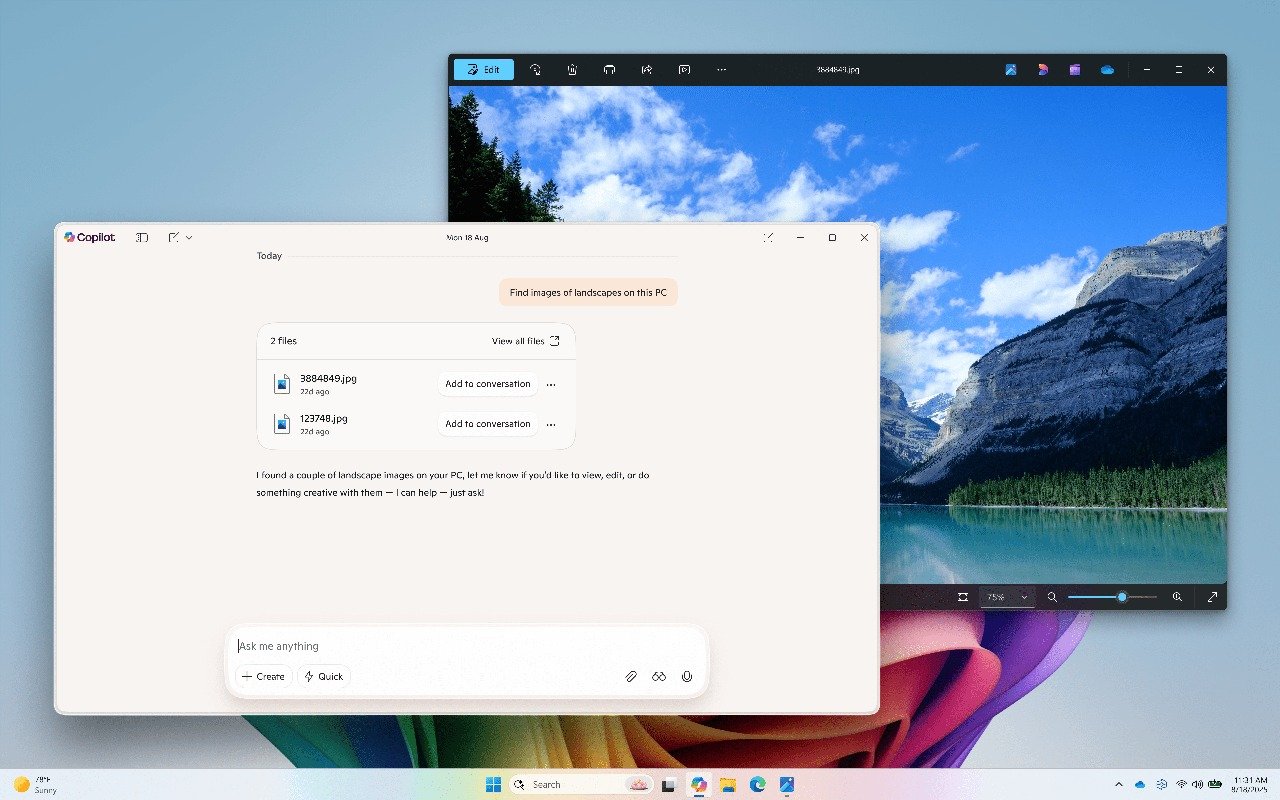
Microsoft has rolled out a new update to the Copilot app on Windows, introducing new tools that make it easier to locate your files and work more efficiently. First, you’ve the semantic file search, a feature exclusive to Copilot+ PCs.
You can now use natural language to locate what you need. This cuts the hassle of relying on exact file names. In other words, typing “find my CV” or “show me the photo of a bridge at sunset” is enough to surface results, even if you don’t remember the file’s exact title.
You can always adjust the permissions for what Copilot can access under its settings, giving you full control over what the assistant can read or retrieve.
A redesigned home for Copilot
This update also introduces a new home experience inside Copilot. Recent apps, files, and conversations are now front and center, making it easier to pick up where you left off.
Clicking a recent app launches a Vision session for guided help, while selecting a file uploads it directly into the chat window. From there, Copilot can summarize a document, identify objects in an image, or simply provide insights.

Microsoft notes that Copilot relies on the standard Windows “Recent” folder to show your latest files. These are local files, so nothing gets scanned or uploaded automatically. Only compatible files you’ve recently opened will appear, and Copilot only processes a file if you explicitly attach it.
The latest update is rolling out to Insiders
The update, version 1.25082.132.0 and higher, is now rolling out through the Microsoft Store across all Insider Channels. Features are arriving gradually, so not every Insider will see them right away.
Earlier today, Microsoft also released build 27928 to the Windows 11 Canary channel. The update is focused on deeper Settings migration and bug fixes. Moreover, the company has also released emergency OOB update to fix reset and recovery issues in Windows 11 trigged by August Patch Tuesday update.