Microsoft Edge Tests a Copilot-Inspired Theme
Readers help support Windows Report. We may get a commission if you buy through our links.

Read our disclosure page to find out how can you help Windows Report sustain the editorial team. Read more
After Journeys, Microsoft is now testing a new Copilot-inspired theme in Edge Canary that changes the browser frame when Copilot Mode is enabled. The aim is to give Edge a more distinct look whenever users switch to its AI-powered browsing mode.
Microsoft Edge’s Copilot Theme
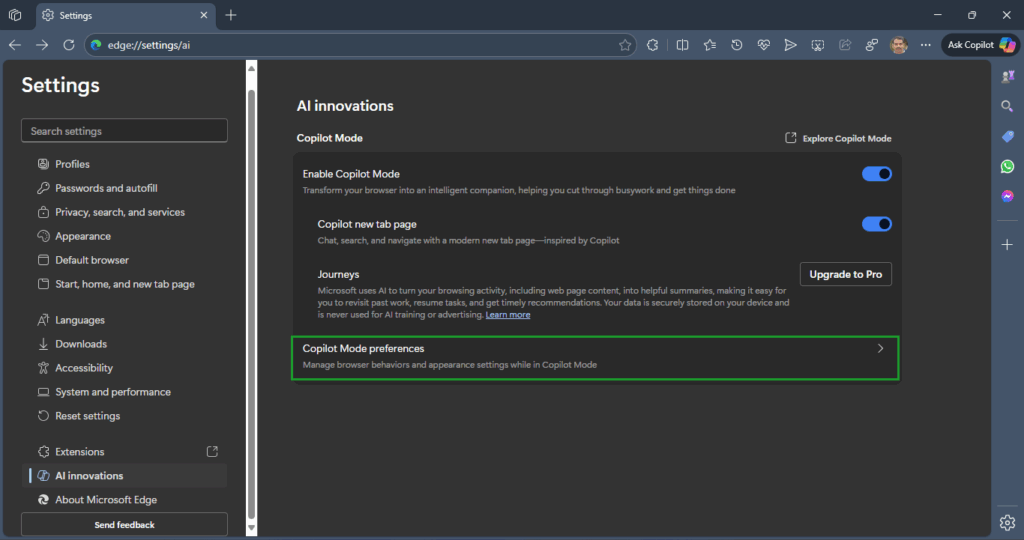
A new Copilot Mode preferences section has appeared in Edge Canary’s settings, letting users customize how the browser looks and behaves in Copilot Mode.
Currently, it includes one option called Copilot theme, which “Applies a Copilot-inspired color theme to the browser frame while Copilot Mode is on.”

Currently, enabling this toggle doesn’t appear to make any noticeable changes to the browser’s frame or overall UI, suggesting that this feature may still be in development or dependent on other upcoming changes.

Copilot Mode itself transforms Edge into an AI-assisted experience, offering features like a redesigned new tab page, task-oriented Journeys, AI-driven Find on Page suggestions, and Actions. Adding appearance customization indicates that Microsoft might be planning a more distinct, branded experience when users switch to this mode.
We’ll likely see more options appear under Copilot Mode preferences in future Canary updates as Microsoft expands its AI integration within Edge.
That’s not all. Microsoft is testing Passkey roaming in Edge, which allows syncing saved passkeys across devices. Additionally, Microsoft Edge Copilot is now available in pre-release versions with Smart GPT-5 mode.