Perplexity Comet adds Automatic Picture-in-Picture for videos and calls
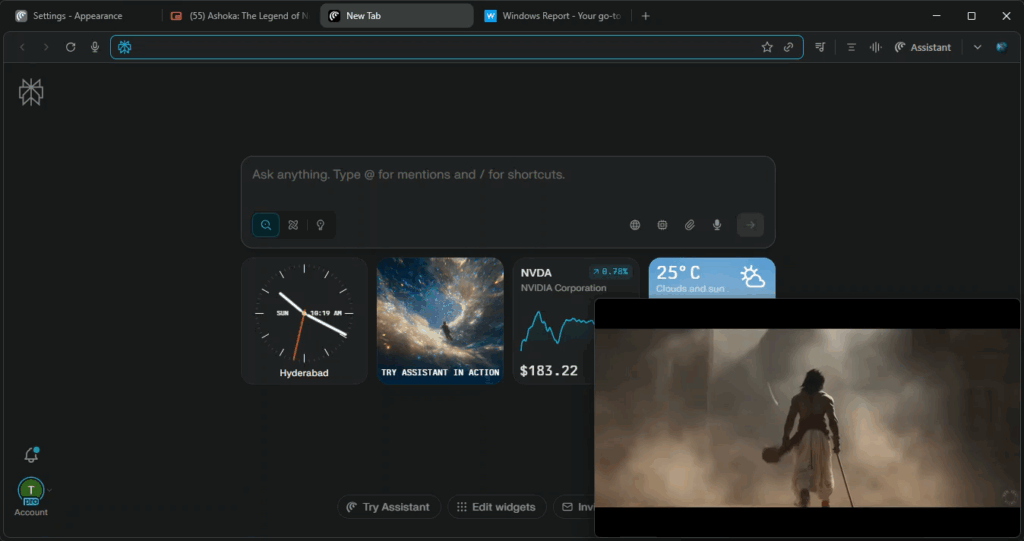
After adding Split View, the recently released Perplexity Comet AI browser has now added support for “Automatic Picture-in-Picture”, a feature similar to what Chrome offers. It makes it easier to keep videos or video calls visible even when switching between tabs or windows.
Comet, which is built on Chromium, already supports regular Picture-in-Picture. You can right-click on a playing video and choose “Picture in Picture” to open it in a floating window that stays on top of other windows and apps.
With the new Automatic Picture-in-Picture support, Comet now handles this automatically for supported sites, such as YouTube and video conferencing platforms. Once you start playing a video, it continues in a floating window even when you move to another tab.

How to Enable Automatic Picture-in-Picture mode in the Comet browser
- Launch the Comet browser
- Click on Menu and select “Settings”
- Visit “Appearance” and enable “Automatic Picture-in-Picture”.
- Relaunch Comet for the change to take effect.

After enabling the setting, videos or audio on supported sites stay on top, so you can keep watching or stay on a call even while browsing other tabs.

Once it’s active, the browser asks for permission when a site tries to use Automatic Picture-in-Picture. A small prompt appears asking whether to “Allow this time”, “Allow on every visit”, or “Don’t allow”.
If you choose to allow, the video or call stays visible on top even when you switch between tabs or windows.
Perplexity Comet’s new Automatic Picture-in-Picture mode keeps videos and video calls active in a floating window even when you switch tabs. The setting can be enabled under Appearance and works on popular sites like YouTube.
Comet also brings other useful features. It can summarize YouTube videos, block ads with its built-in ad blocker, and will soon add a built-in VPN, according to Perplexity’s CEO.
What’s your take on the Comet browser’s Automatic Picture-in-Picture feature? Would you use it? Share your thoughts in the comments below.
Readers help support Windows Report. We may get a commission if you buy through our links.

Read our disclosure page to find out how can you help Windows Report sustain the editorial team. Read more