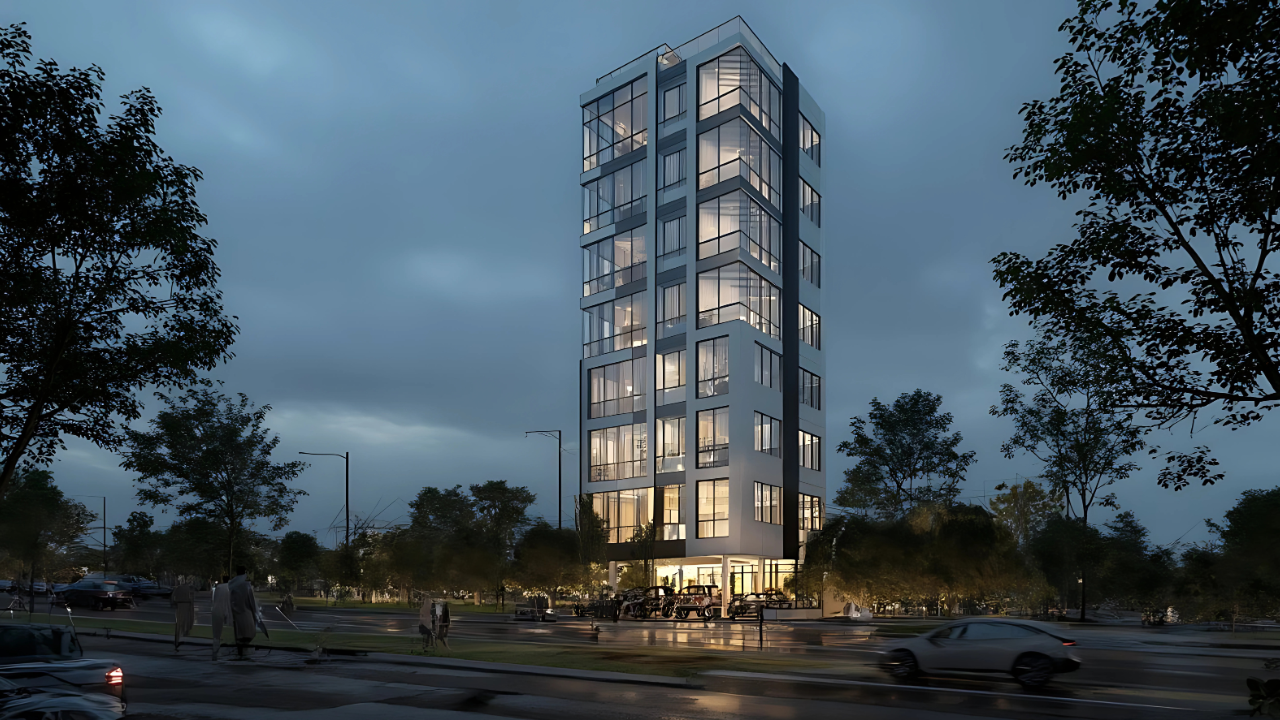
AI Render Tools for Architecture and Interior Design
The architectural and interior design process takes a lot of time, especially when working from sketches or exploring different styles. With the help of AI, what used to take hours or days can take seconds. In this MNML.AI review, I tested its comprehensive AI render tools, which let you render and iterate ideas in one click.
What is MNML.AI?
MNML.AI is a web-based platform for AI-powered rendering and professional architectural visualization in seconds, especially for exterior and interior design. Its 12+ powerful AI tools can render your existing sketches, generate photorealistic designs from prompts, and transfer the style from a reference photo.
The comprehensive suite also offers:
- 40+ curated architectural styles.
- Exterior AI render, landscapes, interiors, and layouts with one click.
- Video generation from still images (10 seconds).
- Smart editor: erase, replace, extend.
- Upscale to 4K resolution.
- Prompt generator from uploaded image.
MNML.AI is trusted by 1.8M+ architects, interior designers, and real estate professionals. New users can start for free before requiring a credit pack or premium plan.
Notable Features
After getting hands-on with MNML.AI, here’s what stood out the most:
Sketch to Image AI
One of MNML.AI’s most powerful features is its ability to automate the rendering and iteration of your design sketches and images. Even the roughest of hand drawn sketches can be fully colorized and rendered into a photorealistic design by using the “creative” setting.

On the other hand, you might choose the “exact render” option for a more detailed sketch. This stays close to the original colors, materials, and geometry while levelling up the design quality.
There is also an additional geometry slider, giving you the freedom to try different levels of creativity.
The Sketch to Image AI automatically recognizes exteriors, interiors, home décor and furniture, products, art, and 2D plans. The latter can be a top view sketch, photo, or snapshot from a 3D model, allowing you to quickly generate fully visualized masterplans.

Working with a landscape photo or sketch? MNML.AI offers 15 landscape styles and you can render in watercolor, sketch, photorealism, and others.
Whatever you choose, positive and negative prompts help to refine your vision. Positive prompts are the descriptors and keywords you want to see in the design. This might include the architectural type, such as villa or townhouse, the style (i.e., modern or gothic architecture), colors, materials, time of day, and other objects like trees.
Conversely, negative prompts let you remove unwanted elements. This is particularly effective when the sketch itself includes something you now want to change.
Overall, the Sketch to Image AI streamlines the entire design process and lets you flesh out multiple ideas at record speed.
Text to Image AI
The Imagine AI tool brings your architecture or interior design ideas to life without even needing a source image. Through the power of prompting, you only need to describe what to render and make use of the settings.
Simply choose exterior, interior, or layout, the aspect ratio, and begin prompting. The MNML.AI prompt guide is there to help, but you’ll soon get the hang of it by ensuring to mention the main subject, additional objects, architecture style, colors, and lighting or weather.
For example, I chose exterior and entered this prompt: “Town houses, gothic architecture, iron gates, winter.”

The style strength slider fine tunes the level or realism vs how strongly it adheres to the prompt.
One way to improve your prompts or emulate a style is to use the prompt generator. Here, you can upload an existing image, and it reverse engineers what you would prompt to generate something similar.
AI Interior Design and Virtual Staging
For interior design, the virtual staging AI is an invaluable tool. This lets you start with a photo of an empty room and try out different ideas to see what it could look like.

Choose the desired room type, such as kitchen, then select from over 30 room styles from warm & cozy to rustic.
You can refine the design further with prompts and choose between precise (keeps the ceiling and geometry) or creative (for complete staging).
Whether you’re looking for some home décor inspiration, are a professional interior designer, or spicing up your real estate listings, this interior AI tool is perfect for quickly exploring different ideas.
Style Transfer
The style transfer tool is a quick way to apply the style from one photo to a render of your sketch or other image.

For example, your sketch or photo of a room might be plain or have a modern style. Uploading a similar angled shot of a room with a rustic style will apply that style, while maintaining the geometry and features of the original.
Editing
If you wish to modify a specific object or area, instead of using traditional image editing software, the Canvas editor combines several tools for erasing or replacing the selection.

Whichever you choose, the AI automatically fills in the gaps to blend in with the rest of the image.
Moreover, the Extender expands the borders of an image, generating new content that adheres to the style of the original design.
Export/ Download Options
Image renders can be easily downloaded in either JPG or PNG format at up to 4K resolution.

Paid users can also maintain an account history to access previous renders and projects.
MNML.AI does not use watermarks and paid users get full commercial rights.
Video Shorts
Video is a great way to showcase your designs online or privately to clients. With the AI video maker, you can quickly add professional camera panning to a still image.
In one click, it produces 10 seconds of motion in 1080p, which can be downloaded in MP4 format.
Upscaling
If you have an older design or low-resolution image, the AI image upscaler enhances the clarity and sharpness to match the standards of 4K resolution.
Now you can quickly enhance images without introducing the typical pixelation or blurriness associated with traditional upscaling methods.
MNML.AI Pricing
You can try MNML.ai for free, but for high resolution output and full commercial rights, you should purchase a premium plan. Visit the pricing page for more.
- Credit Pack ($49) – A one off payment for 5,000 credits, equaling 500 designs or 1,000 text to image renders.
- Basic ($19/mo or $189.60/yr) – 1,000 credits/mo, equaling 100 designs, 200 text-to-image designs, and 12 videos.
- Pro ($39/mo or $390/yr) – 5,000 credits, equaling 500 designs, 1,000 text to image designs, and 65 videos.
- Expert ($79/mo or $789.60/yr) – 10,000 credits, equaling 1,000 designs, 2000 text to image designs, and 130 videos.
- Enterprise (from $199/mo) – Negotiate a custom plan for high volume use.
MNML.AI Review – Verdict
Although many AI platforms have the ability to generate architecture and interior design images, MNML.AI succeeds by making it the focus.
Instead of relying solely on prompting, it offers lots of useful tools that streamline different tasks. It’s incredibly easy to use, requiring only a few settings before hitting the generate button.
MNML.AI At a Glance:
Instant AI rendering for interiors, exteriors, and layouts
- 12+ tools and 40+ architectural styles
- Sketch-to-image, virtual staging, 4K upscaling
- Smart editing, video creation, style transfer
- Free to try. Paid plans from $19/month
Whether you’re a beginner or a professional working in the industry, this powerful AI render suite is a can’t miss.
Ready to visualize your designs faster than ever? Try the MNML.AI architecture AI render tools free or pick a plan that fits your workflow.