Google Is Redesigning Chrome’s New Tab Page Search Box With a ‘Next’ Experience
Readers help support Windows Report. We may get a commission if you buy through our links.

Read our disclosure page to find out how can you help Windows Report sustain the editorial team. Read more
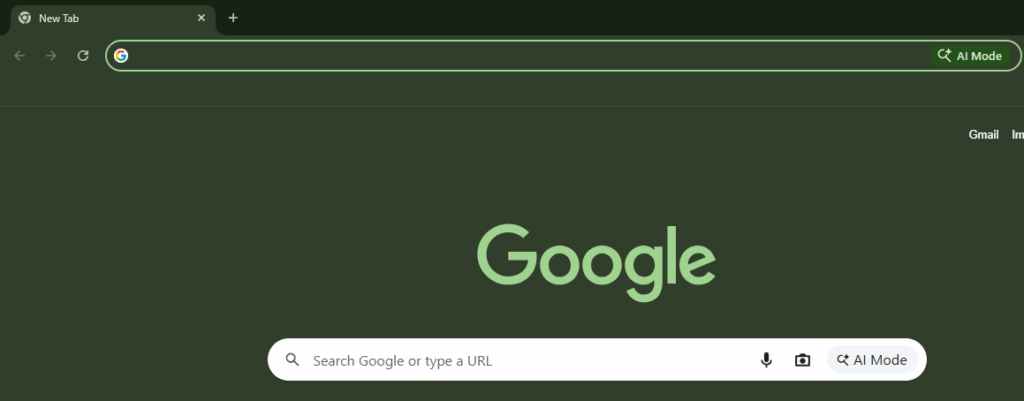
After introducing Gemini and AI Mode in Chrome, Google is bidding goodbye to the traditional search bar on Chrome’s New Tab Page. In its place, the company is testing a redesigned search experience called “Realbox Next”, with “Tall” and “Compact” layouts that look more like AI input fields than a simple bar.
Both versions place “Ask Google” at the top, followed by suggestions such as “Make a comparison,” “Teach me a new skill,” “Make a plan,” and “Research a topic.”
The Tall version, in particular, features a two-row design that resembles a chat or compose box. It is built to handle longer questions and display contextual suggestions, though full smart suggestions are still in early stages.
Chrome NTP Search Box’s “Next” Experience Is on the Way
What is driving this change? The larger, more noticeable box suggests Google wants the New Tab Page to become more than a shortcut for quick searches. It is being reshaped into a starting point for learning, planning, and getting things done.


But here is the twist: this transformation is not happening by default. It is being tested quietly behind a flag called “NTP Realbox Next.” The flag’s description reveals Google’s intentions clearly, saying it “enables the Realbox Next experience,” and offers options to show either the new Tall or Compact design.


With the Realbox Next experience, Google is changing how people use Chrome’s New Tab Page. The search box could soon handle more than basic searches; it might become a useful spot for quick research, learning new skills, and planning tasks, giving you more reasons to start your browsing from the New Tab Page.
That’s not all. Chrome is also testing Lens video citations and a “Create tab group” option in the menu.
Additionally, Chrome will exclude Picture-in-Picture (PiP) windows from screen capture and upgrade reader mode with four new themes.