How to Send Direct Messages (DMs) on Spotify
Readers help support Windows Report. We may get a commission if you buy through our links.

Read our disclosure page to find out how can you help Windows Report sustain the editorial team. Read more
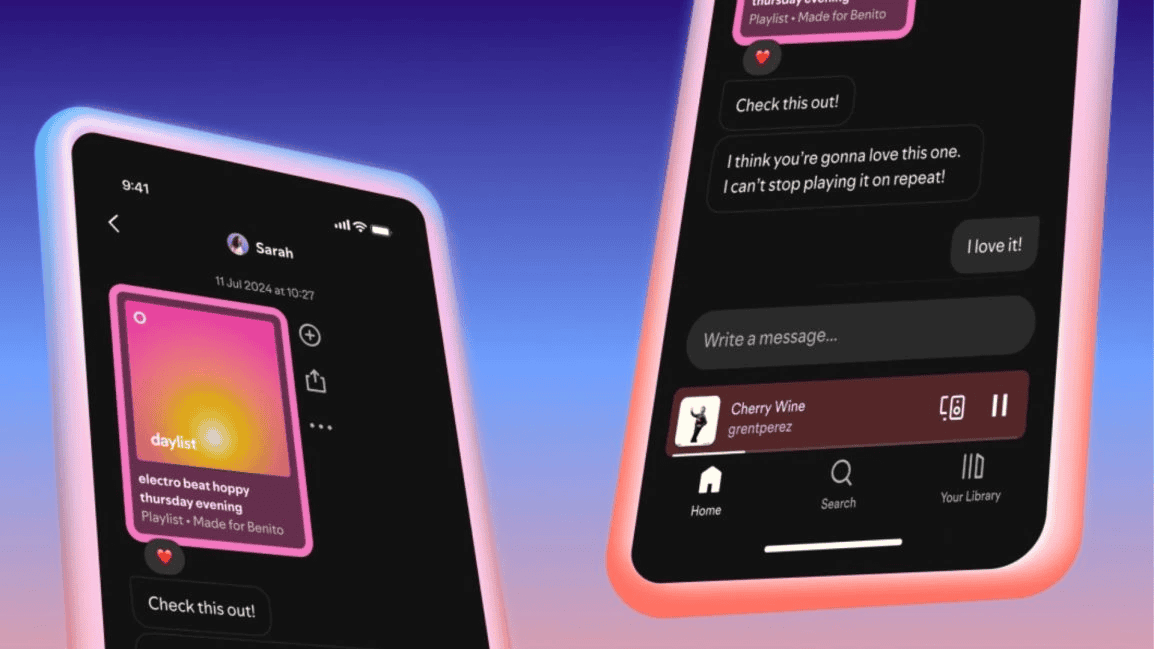
Spotify has introduced Direct Messages (DMs) feature that lets to interact with your friends and family without jumping to another app.
Rather than copying links and pasting them into Instagram, WhatsApp, or text messages, you can now chat about songs, podcasts, or audiobooks directly inside Spotify. The feature is rolling out to both Free and Premium users aged 16 and older in select markets.
How to message someone on Spotify
Spotify Messages work just like regular chats, but with music at the center. Here’s how you can start sharing:
1. Play a song, podcast, or audiobook.
2. Open the Now Playing screen and tap the share

3. Now, search for someone you’ve interacted with before on Spotify.

4. Suggested friends may appear if you’ve joined Blends, Jams, or playlists together.

5. Hit send to share the track, podcast, or audiobook.
Once the DM request is accepted, you can react with emojis, send text, and keep the chat going.
How to access your messages on Spotify
- Tap your profile photo in the top left corner of the app
- View active chats, reply, or manage requests.
Why use DMs on Spotify
Sharing music usually meant copying links and pasting them into different apps, which can be messy and time-consuming. With Spotify DMs, everything stays in one place, making it easier to keep track of recommendations.
More importantly, it turns music sharing into a real conversation. Whether it’s sending a new audiobook for book club, trading podcasts with a friend, or hyping a fresh track, the Messages feature makes these exchanges seamless.
Spotify also gives you full control, you can block users, reject requests, or report harmful content if needed. With encryption and proactive moderation, conversations remain safe while still fun and interactive. On contrary, if Spotify is crashing for you, we urge you to check this guide. In case Spotify fails to open on your browser, here’s how to fix it.
FAQs about Spotify DMs
Yes, conversations are protected with encryption in transit and at rest, with moderation tools in place for safety.
Messages are rolling out to Free and Premium users aged 16 and older in select markets.
You can only DM people you’ve interacted with before, like through Blends, Jams, or shared playlists.
Tap your profile photo in the top left corner of the app to access active chats and requests.
Yes, you can block users, reject requests, or report harmful content directly within the chat.