KB5064093 Update In Beta Channel Adds New Battery Icon for Windows 11 Lock Screen
Readers help support Windows Report. We may get a commission if you buy through our links.

Read our disclosure page to find out how can you help Windows Report sustain the editorial team. Read more
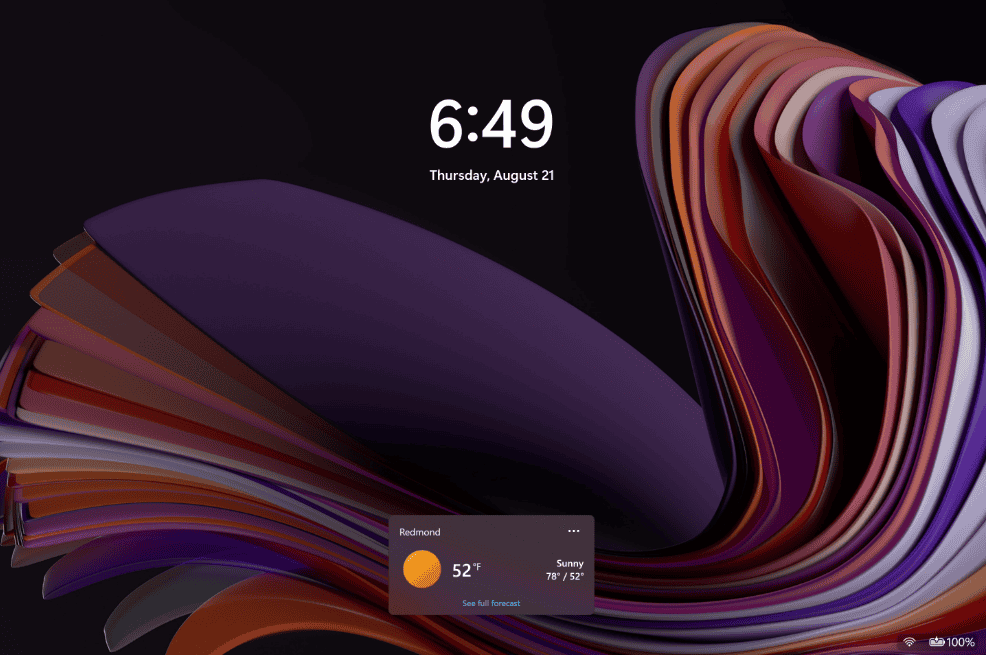
Microsoft is also refreshing how battery status is displayed in Windows 11 Insider Beta build 26120.5761 (KB5064093). The lock screen now features a redesigned battery icon with clearer visuals and percentage information at a glance.

Unlike the older version, which often required hovering or guessing, the new icon communicates the charge level more directly. It’s also designed with modern display scaling in mind, so it looks sharper across different screen sizes and resolutions.
This might seem like a small tweak, but it ties into Microsoft’s larger design refresh for Windows 11, ensuring consistency and usability across system surfaces. The lock screen, being the first thing many users see, now doubles as a quick battery status hub without unlocking the PC.
The change is being rolled out gradually to Insiders in the Beta Channel and will eventually make its way into stable builds. It’s part of KB5064093’s package of subtle yet practical quality-of-life improvements.
For laptop and tablet users, especially, this new battery display is one of those tiny touches that can make daily use smoother. This update also brings cross-device apps resume in Windows 11. That’s not all, the same build in the Beta channel also introduces Window Mode screen recording in Snipping Tool.