KB5072043 Adds A New Way to Keep An Eye on Agents Right from the Windows 11 Taskbar
Microsoft is testing a new way to monitor AI agent work directly from the taskbar in Windows 11 Insider Preview Build 26220.7523 (KB5072043). The update introduces Agents on the taskbar, starting with Researcher in Microsoft 365 Copilot.
Researcher is designed to handle longer, more complex tasks, such as building structured reports from broad questions. With this update, once a task is started inside the Microsoft 365 Copilot app, users no longer need to keep that app open to know what’s happening. Progress is now visible on the taskbar.
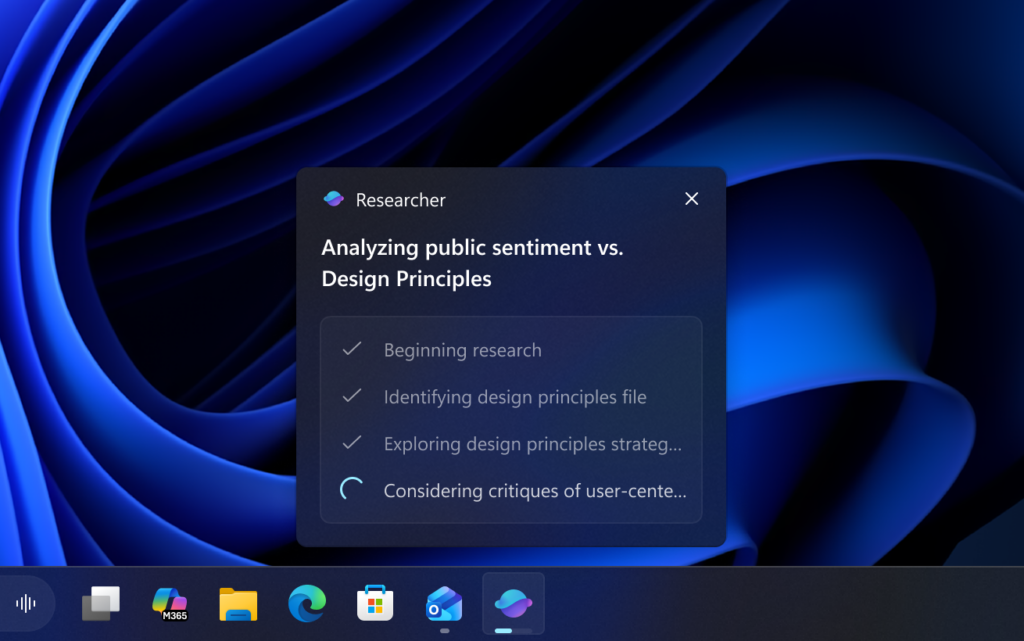
Microsoft is also testing a hover-based view. When users hover over the Copilot or Researcher icon, Windows shows live progress updates that indicate how the task is advancing. Researcher will also surface a clear completion state once the report is finished.
When a task completes, users receive a notification and can click it, or the taskbar icon itself, to return to Microsoft 365. From there, the completed report can be reviewed and used immediately. The goal is to reduce interruptions while still keeping users informed about long-running agent tasks.
The feature is optional and will roll out gradually to business Windows Insider Program users in the United States who have Microsoft 365 Copilot licenses. Microsoft says it is still experimenting with how agent activity appears on the taskbar, either grouped under the Copilot icon or shown as a separate Researcher icon.


Readers help support Windows Report. We may get a commission if you buy through our links.

Read our disclosure page to find out how can you help Windows Report sustain the editorial team. Read more