Microsoft 365 Copilot Just Got Smarter with Memory and Instruction Controls
Readers help support Windows Report. We may get a commission if you buy through our links.

Read our disclosure page to find out how can you help Windows Report sustain the editorial team. Read more
Microsoft is giving its AI assistant a serious personalization boost. Starting this month, Microsoft 365 Copilot will get the ability to memorize things, making it more personalized and conversational across your work apps.
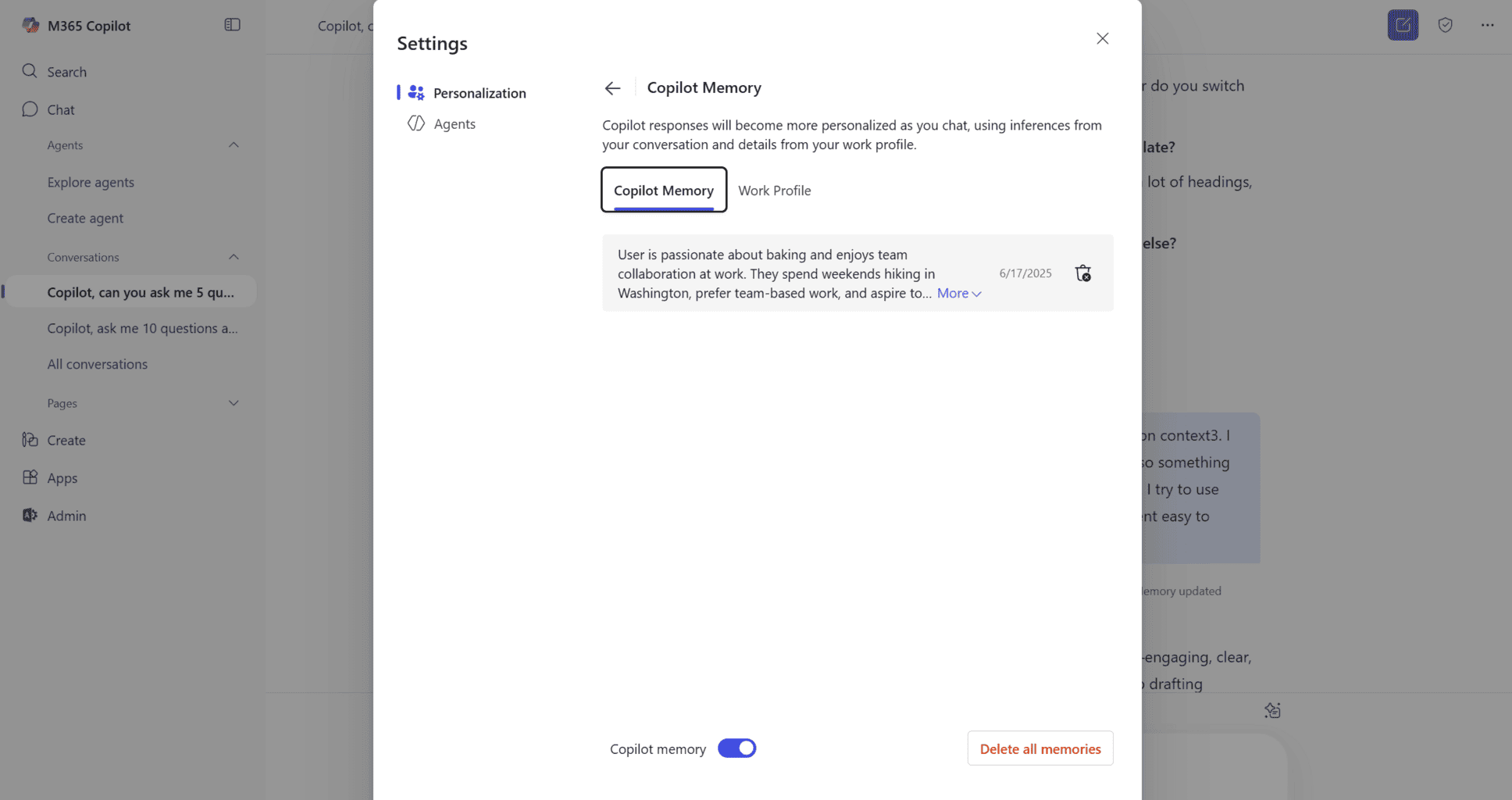
This follows the memory feature already built into the Copilot app in Windows. Now, it’s coming to the 365 version too, enabling it to hold onto key details like your tone preferences, frequently discussed topics, or even how you like your images formatted. Microsoft says this new memory system will cut down on repeated inputs and make the overall Copilot experience smoother.

Alongside memory, Microsoft is rolling out Custom Instructions, letting you shape how Copilot responds, all in natural language. Want it to be more concise? Witty? Or just a little more conversational? Simply ask it, and it will follow the instructed tone. These instructions act like a baseline personality setting for how Copilot talks to you in Word, Excel, and other 365 tools.

You’ll always know when Copilot remembers something, thanks to a subtle prompt. You can review, edit, or delete these memories anytime from the settings panel. You can also shut memory off completely if you prefer Copilot not retain anything personal.
The feature will be on by default, but IT admins can disable it for individuals or across an organization. Microsoft says audit logs for memory actions will be available through Purview eDiscovery for compliance oversight.