Microsoft Improves Touch Keyboard Voice Typing Experience in Windows 11 With KB5072043
Microsoft is making a small but an imortant change to voice typing on Windows 11, which will help users focused while they type. The update, rolling out in the Beta and Dev channel of Windows Insider program, with new build 26220.7523 (KB5072043), reworks how voice dictation appears when using the touch keyboard, removing a visual element many found distracting.
Previously, pressing the dictation key brought up a full-screen overlay. While functional, it often pulled attention away from the task at hand, especially during quick edits or short messages. With the new approach, that overlay is gone.
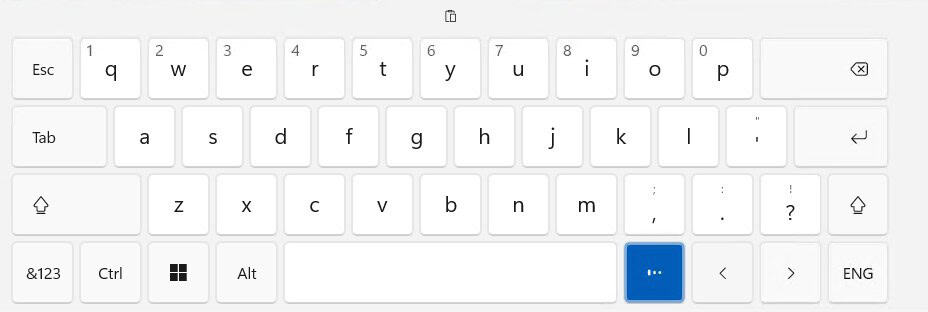
Windows now shows voice typing status directly on the dictation key itself. Subtle animations indicate when the system is listening, processing, or paused. The rest of the screen stays exactly where it is. You keep typing, editing, or navigating without interruption.
The change makes voice input feel more integrated with the keyboard rather than a separate mode. It’s still easy to tell when dictation is active, but it no longer demands center stage. For touch-first devices and tablets, this should make voice typing feel quicker and more natural.
Besides this update, Microsoft is also testing a new Discover Windows widget. It offers short, practical tips about Windows features at moments when they’re likely to be useful. These range from keyboard shortcuts to security reminders and productivity hints.
Not to forget, the widget can be added to the Widgets Board or placed on the lock screen. It’s optional, easy to remove, and designed to stay quiet unless you choose to engage with it.


Readers help support Windows Report. We may get a commission if you buy through our links.

Read our disclosure page to find out how can you help Windows Report sustain the editorial team. Read more