Chrome Adds Instant Tab Group Shortcut
Readers help support Windows Report. We may get a commission if you buy through our links.

Read our disclosure page to find out how can you help Windows Report sustain the editorial team. Read more
After adding the ability to convert Tab Groups into bookmark folders, Google is now testing a new menu shortcut for users who use their mouse more when browsing. In Chrome Canary, you’ll spot a “Create new tab group” button in the Chrome menu, just below “New tab.” With one click, you can start a tab group without needing to right-click or dig through menus.
Until now, making a tab group wasn’t obvious. You had to right-click a tab and pick “Add tab to new group,” or try a keyboard shortcut, which many users didn’t know about.
Most people missed out because there wasn’t a simple button for tab groups. The feature was hidden, so only those who spent time searching or already knew about it used it. For everyone else, tabs just stayed scattered and hard to manage.
With the new “Create new tab group” button in the main menu, Chrome fixes this. Now, anyone can organize tabs with one easy click. No more hidden steps.
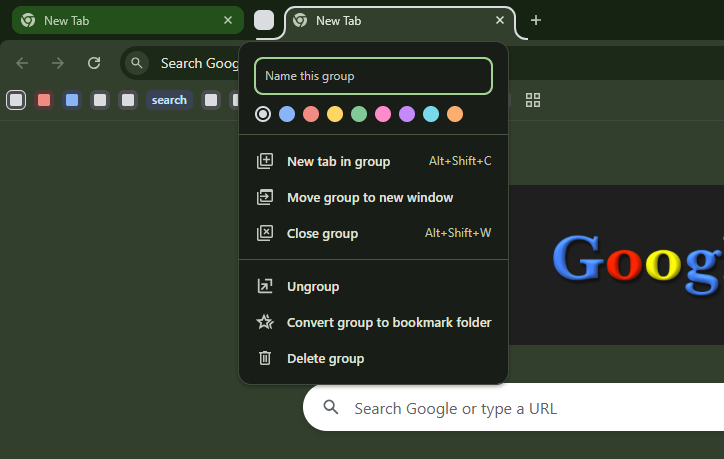
When you use it, Chrome opens a fresh tab in a new group and lets you name it and pick a color. It’s easy to organize tabs for work, shopping, research, or any other use. Everything is clear and quick.

This feature is currently being tested behind a flag in Chrome Canary. You need to visit chrome://flags and enable “Create new tab group menu option at the top level of the app menu” and restart Chrome to see the option in the Chrome menu.

Chrome is making tab groups friendly and simple, so you can tidy up your tabs in seconds.
That’s not all. Chrome could get Lens Video Citations, letting you jump straight to key moments in YouTube videos, and add new reading mode color themes.
Additionally, Google may block screen captures in PiP videos and use Windows 11’s GPU for video calls.