I’ve tried every popular Android VPN, but this is the only one I use for gaming

Marvin Velasco / Android Authority
Add Android Authority on Google:
If you play competitive online games, you likely experience the same issues I have. Yes, poor ping and lag have been bothering me for ages.
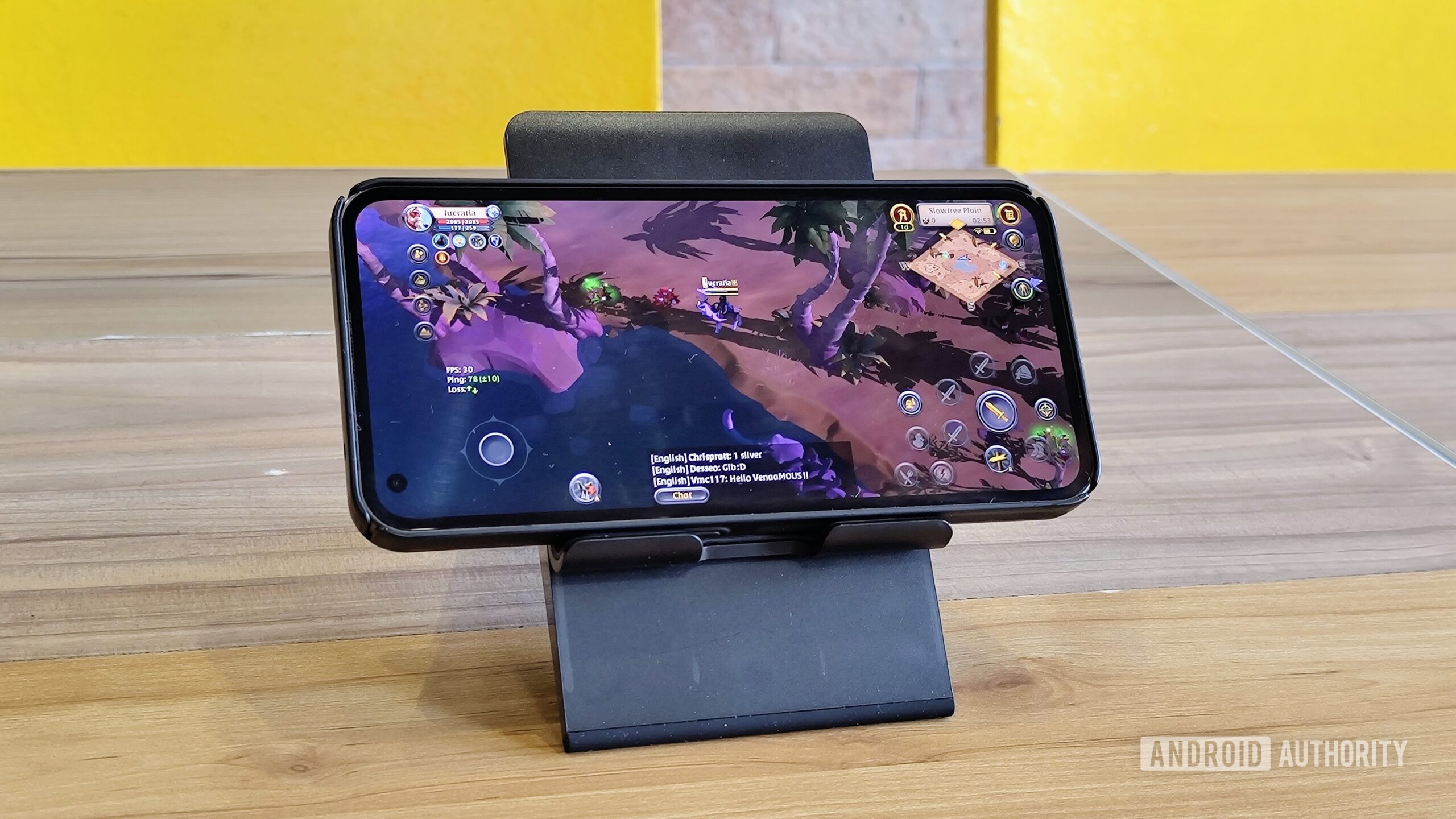
I’ve used ExitLag for the longest time. It does what the name implies: reduces ping and packet loss by finding the fastest path to a game’s online server. It’s not a traditional VPN, but it costs as much as one; I spent around $10 per month on the service. Here’s the problem: I don’t play online games as often as I used to. I sporadically log in to Albion Online and Wild Rift (both free-to-play and cross-platform), but not often enough to justify spending on a monthly subscription to ExitLag.
I looked into traditional VPNs like NordVPN and Surfshark. They require monthly subscriptions, too, but they also encrypt my internet traffic and make connecting to public Wi-Fi safer. Alas, it was another expense I didn’t need. In search of an affordable solution to my ping woes, I landed on Mudfish. Don’t let the name fool you; it’s a serious solution to my trivial problems.
How much are you willing to spend on a VPN?
4 votes
Why Mudfish makes sense for my needs
Mudfish’s core selling point is its credit system. Instead of paying for a monthly subscription, I purchase only what I need. This pay-per-traffic model means I don’t overspend for something I don’t use every day. Prices start at $5, which gives about 40GB of data. This is plenty, so long as I use it purely for gameplay and not downloading updates. More importantly, these credits don’t expire. I could keep the same bundle of bytes for years and use them only when I play ping-reliant games again.
Initially, Mudfish recommends which server to connect to after selecting the destination region of a specific game. For example, Albion Online has three server locations: North America, Europe, and Asia. I play on the Asian server, which is based in Singapore. I select Singapore as the destination region, then Mudfish picks the optimized route. If I find this route too unstable, I can replace it with any of the hundreds of international nodes. The nodes are ordered by best ping, with the fastest ping at the top to make the selection process easier.
These credits don’t expire.
On a good day, Mudfish reduces my ping by up to 50ms. That’s a lot for competitive gaming, considering I could go from over 100ms to sub-50ms. Whenever the recommended route isn’t sufficient, I manually select a different node and test the server before committing to another login. Like most gaming-focused VPNs, the actual performance gains are hit-or-miss. There are times when Mudfish does wonders for my connection; other times, the VPN does nothing for me, and I leave it off altogether.
Mudfish is available on Android, Windows, Linux, iOS, and macOS. Creating an account on any platform applies to all. I made my account on Android and bought credits through Google Play. When I downloaded the app on Windows, my credits carried over. Take note, however, that you can’t use the same Mudfish account on two separate devices or platforms simultaneously. If you’re logged in to the Android app, no one can log in from another phone or desktop PC.
There’s a catch (or two)
The biggest knock against Mudfish is how it handles the connection. Like ExitLag, Mudfish doesn’t encrypt my connection. Traditional VPNs prioritize security, while Mudfish uses unencrypted connections to select the fastest possible routes. This is great for online games, bad for everything else. This app should only be used for gaming and nothing else that requires secure encryption.
My main gripe is the interface. The developers already swapped the legacy app with a newer, more visually pleasing app, but the latter isn’t much of an upgrade. If anything, the newer app’s interface is more confusing than the old app’s. The older app, which no longer receives significant updates, has an antiquated interface, yet it offers more straightforward controls. The newer app is more cumbersome to navigate and lacks the clear visual cues of the previous version.
It takes time to set up
The first thing to set up is the app list. Pick the game you want Mudfish to handle, then decide which destination region you want to connect to. If I were to log in to Albion’s North American server, I’d pick US West as the destination region. The app will automatically select the most optimized server between the game and me. In my case, Mudfish would recommend a node in Hong Kong or Taiwan to connect me to Albion’s North American server. If I’m not satisfied with the server’s ping performance, I may pick another node in a different region.
To further improve the connection, head to More Settings on the app’s main page. Inside Connection Settings, select Connection Mode. Here you’ll find four options: Basic (default), Simple FEC, Advanced, and Multi Path. I highly recommend experimenting with the latter three options. Simple FEC duplicates packets to reduce packet loss; Advanced produces better ping with lower stability; and Multi Path offers the best combination of stability and ping. Note that all non-Basic modes consume more credits, especially Multi Path, since it does the most work for your connection.
Mudfish does one thing well

Marvin Velasco / Android Authority
Mudfish has only one job: to improve my gaming ping without locking me into monthly payments. There used to be a subscription model, but Mudfish scrapped it in 2025. The developers claim to be working on reviving monthly subscriptions in the near future. I have no plans on subscribing, however. Mudfish’s credit system is the main reason why it’s my one-and-only gaming VPN.
Unfortunately, Mudfish doesn’t offer free trials. Although the app itself is free to download, you must spend a little to try it out. To Mudfish’s credit, there’s no expiration to the data you purchase. The lowest tier is affordable, too, so it’s a low-risk, high-reward endeavor.
My online games come and go. I drop one and start another every other month, but Mudfish has a permanent spot in my app drawer.
Thank you for being part of our community. Read our Comment Policy before posting.