Microsoft 365 Copilot Pages Now Let You Jump Back to Older Versions
Microsoft has added a small but useful upgrade to the Microsoft 365 Copilot app. In a new blog post, the company announced that you can now view and restore previous versions of their Copilot Pages. This will makes it easier to fix mistakes, recover lost information, or simply compare earlier drafts without digging through backups.
If you use Copilot Pages regularly, you’ll know the workflow is built around iteration. You prompt Copilot, refine the output, edit manually, and sometimes collaborate with others. Until now, going back to an older version wasn’t straightforward. With this update, version history works much like it does in other Microsoft 365 apps. But this time, it applies to AI-generated and AI-edited content too.
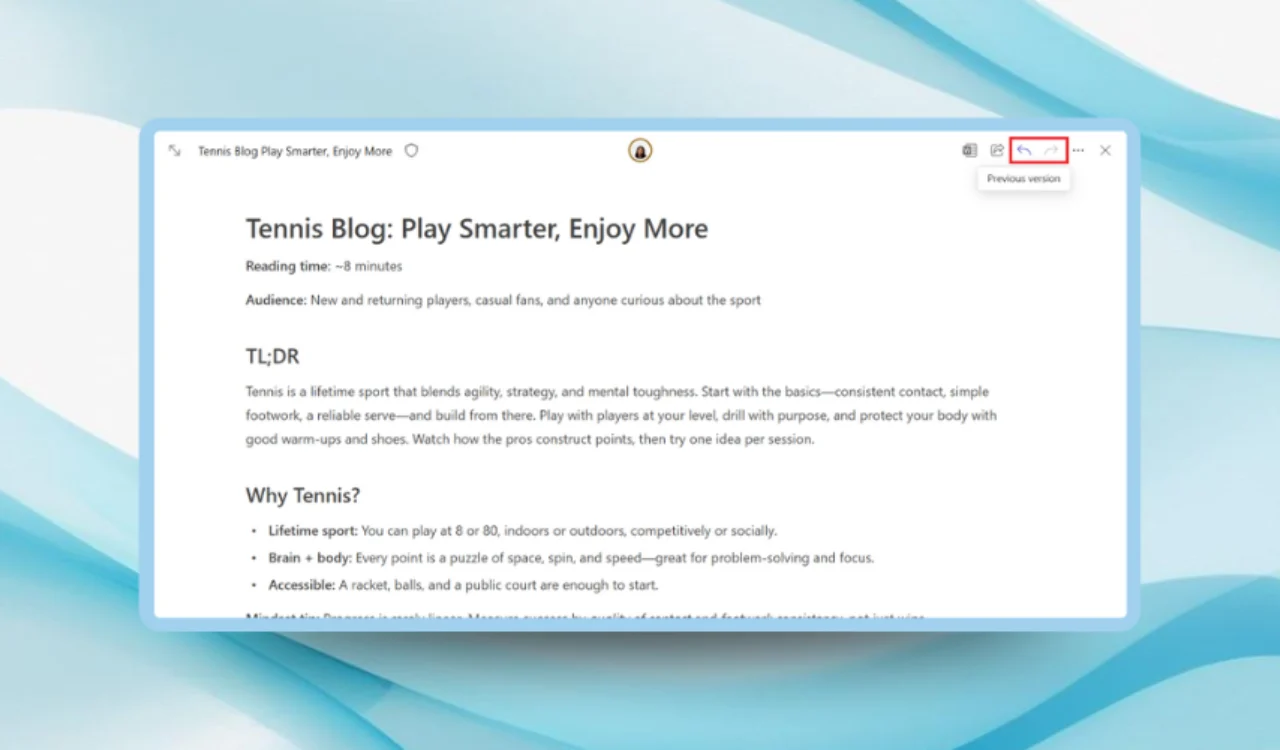
Using the new feature is equally simple. You can open the Microsoft 365 Copilot app on Windows, Mac, or the web, load a Page, and you’ll see new arrow controls in the top-right corner. These let you browse past versions, review changes, and, if needed, hit Restore version to revert instantly. You can also copy pieces from older drafts without overwriting your most recent work.
Microsoft says the tool is especially handy when important text gets overwritten during collaboration, or when Copilot’s edits take a turn you didn’t intend. It also helps anyone who wants to keep a clean version trail while experimenting with ideas.
The feature is now rolling out to users across desktop and web, meaning you should see it in the Microsoft 365 Copilot app soon.

Readers help support Windows Report. We may get a commission if you buy through our links.

Read our disclosure page to find out how can you help Windows Report sustain the editorial team. Read more