Microsoft Word’s new Audio Overviews turn long docs into easy listening
Readers help support Windows Report. We may get a commission if you buy through our links.
Read our disclosure page to find out how can you help Windows Report sustain the editorial team. Read more
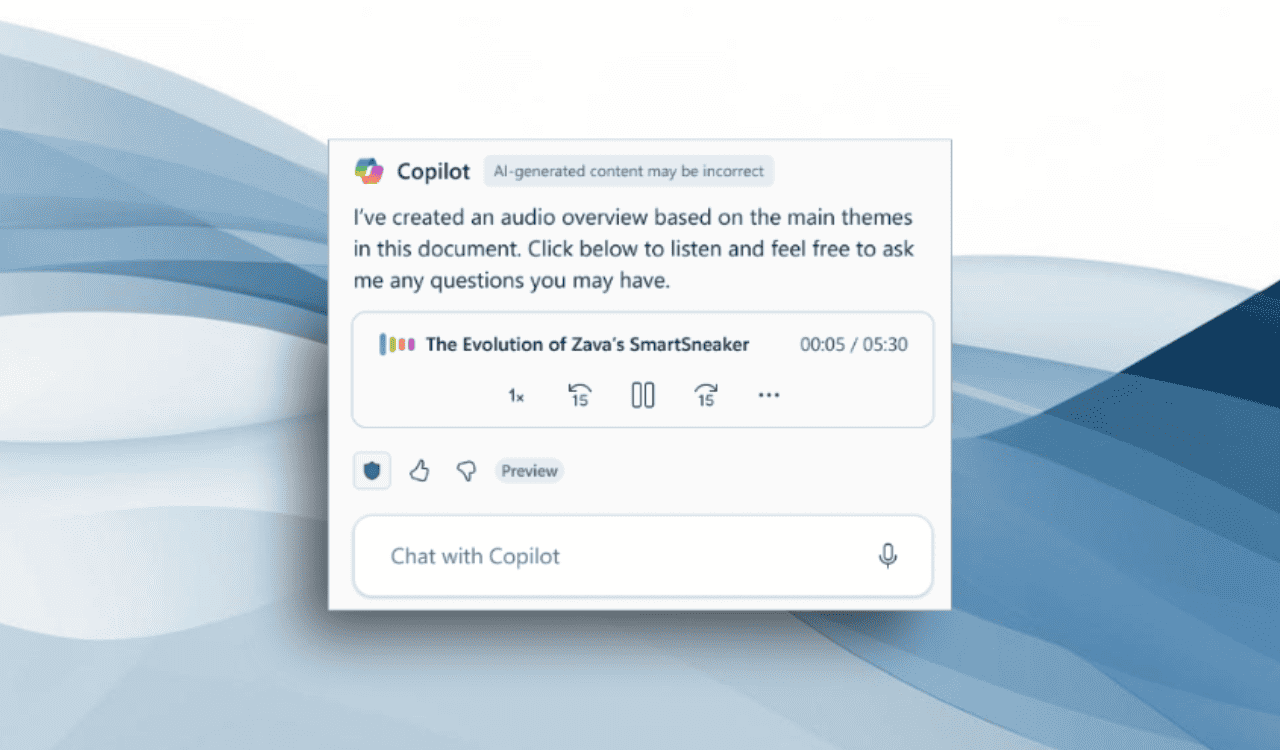
Microsoft is adding a new way to catch up on your work in Word without staring at the screen. The latest update brings Audio Overviews to Microsoft 365 Copilot (via Neowin), letting the AI read a summary of your document out loud.
You can listen while commuting, making coffee, or doing anything else away from your desk. This update comes as Microsoft 365 Copilot now runs on OpenAI’s GPT-5, which promises more accurate summaries and smoother interactions.
The Audio Overviews feature is now available in Word for Windows (version 2506, build 18925.20138) and Word for the web, but you’ll need a Microsoft 365 Copilot license to use it.
Once you open a document, click the Copilot button in the Home tab and ask for an audio overview. Copilot will generate a short spoken summary and give you playback controls to pause, skip ahead or back, and adjust the speed.
You can also save the audio to OneDrive for later or share it with others. All saved overviews appear in your Copilot chat history, making it easy to revisit them anytime.
There are some limits, though. The document needs at least 100 words, the feature currently works only in English, and it only supports files stored online in OneDrive or SharePoint, not local files. Moreover, Microsoft says more languages are coming in the future.