Windows 11 Dev & Beta Updates (KB5064093 & KB5064089) Bring Excel Table Conversion in Click to Do
Readers help support Windows Report. We may get a commission if you buy through our links.

Read our disclosure page to find out how can you help Windows Report sustain the editorial team. Read more
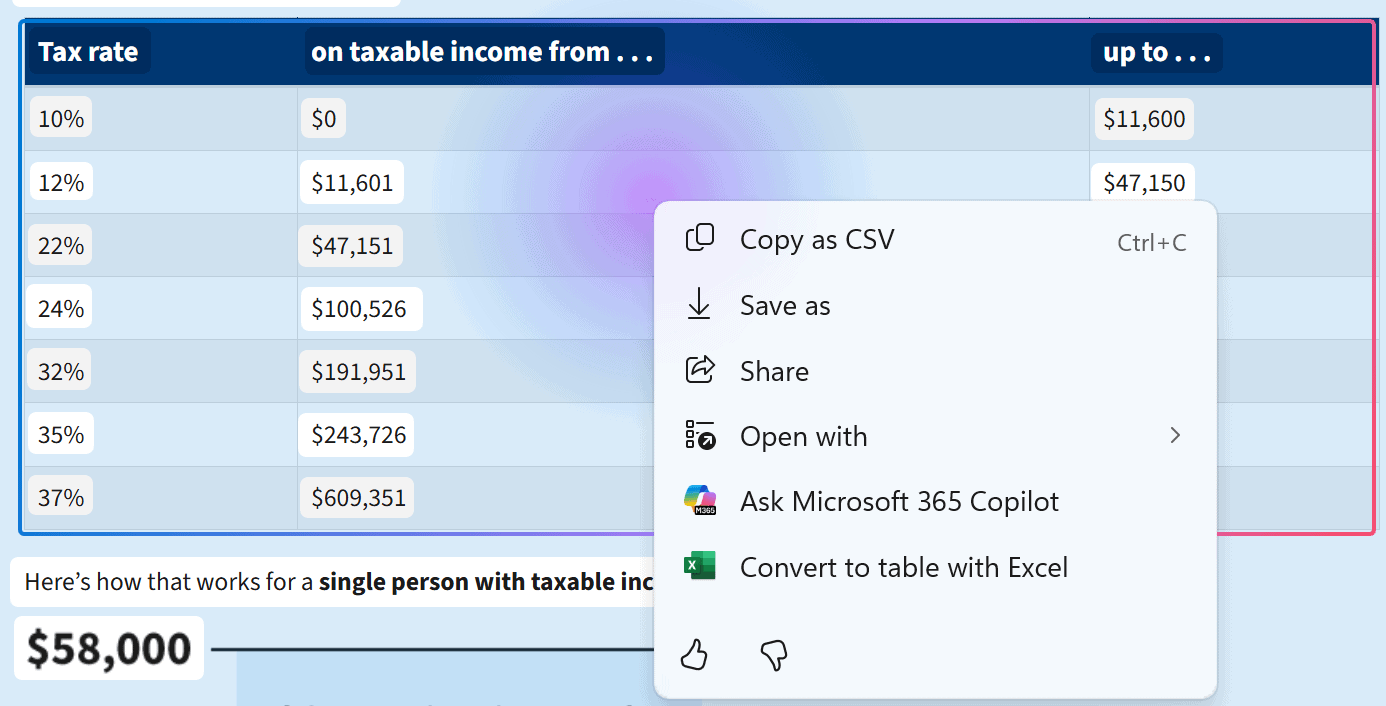
Microsoft today released Windows 11 KB5064093 & KB5064089 to the Dev & Beta Channels, respectively. The latest update offers an early preview of a new ‘Click to Do’ feature.
The update allows users to highlight simple tables from documents, Teams, or images and instantly convert them into Excel sheets. With a quick Win + Click shortcut, tables are captured and sent to Excel without requiring manual retyping.
Microsoft describes this as an early test, noting that detection may not always be accurate. However, the company promises quality improvements in future builds as the feature evolves.
At launch, the ability is available on Copilot+ PCs running Snapdragon chips, with support for AMD and Intel-based Copilot+ PCs coming soon. To use the feature, users must have the latest Excel installed along with a Microsoft 365 subscription.
This new integration reflects Microsoft’s ongoing effort to embed AI-driven productivity directly into Windows. By reducing repetitive data entry, the company hopes to help users save time in their daily tasks. The feature is currently limited to Windows Insiders outside the European Economic Area.
Not to forget, the latest Dev and Beta channel build also introduces Microsoft 365 Profile Cards to Click to Do and a new on-screen Braille viewer in Narrator. Moreover, Microsoft has also released Windows 11 25H2 Preview Build 26200.5074 to Insiders