Windows quality update: Progress we’ve made since March
Hello Windows Insiders
I’ve now spent the past two months in this expanded role leading the Windows Insider Program. Two themes have stood out in my conversations with you. First, you want more transparency. You want to see what we’re doing, understand our decisions, and see progress through shipping. Second, a shared sense of pride. We want to be proud of what we build, and as Insiders, you’re proud to be the first to guide us with your feedback. When we get it right, we celebrate together. When we don’t, you push us to improve.
We want Insiders to feel that same connection to what we’re building. Over the next few months, you’ll see us laser focused on the improvements we’re shipping. My ask of you: try the experiences, pressure test them, and let’s keep building a product we are proud of.
Below are a few of the top improvements we’ve started rolling out to Windows Insiders over the past month, including some experiences rolling out in today’s flights.
Making the Windows Insider Program easier to navigate, with more control of the features you want
Everything starts with Windows Insiders. Before a feature or improvement reaches general availability, we deliver it to you first. Last week, we began rolling changes to make the Windows Insider Program easier to navigate, simpler to understand, and with more control to try the features you want.
With these changes, we’re moving to two primary channels, Experimental and Beta, with clearer expectations for what each offer. In Beta, we’re ending controlled feature rollouts (CFR), so when we announce a feature and you take the update, you’ll have it. In Experimental, we’re also adding new feature flags, so you can choose which features to try. We’re also making it easier to move between channels or leave the program without a clean install.
Alongside these changes, we’ve continued improving Feedback Hub to reduce friction when sharing feedback, with recent updates focused on more consistent window behavior, easier navigation, and accessibility improvements.
See our Windows Insider experience blog post for the full breakdown of channel changes, feature flags, and how to switch channels. For more information on the transition over the next month and how to access the new changes, read last week’s Windows Insider blog.
Less disruption from Windows Update
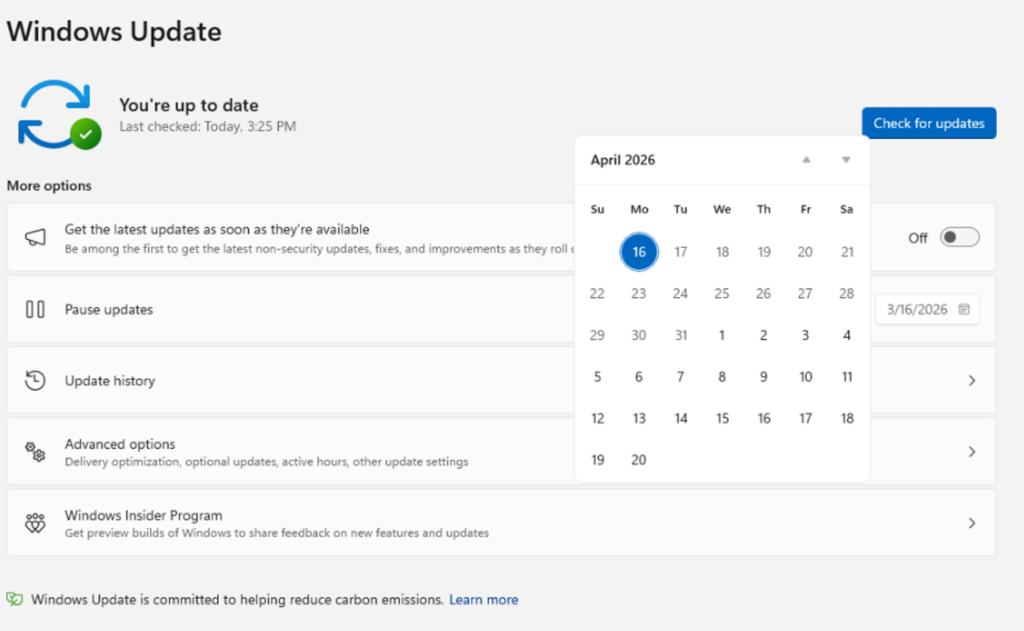
The theme is simple: fewer disruptions, more clarity, more control. This update moves Windows toward a single monthly restart by consolidating OS, .NET, and driver updates, and gives you more flexibility to time updates around your schedule. We’ve also made changes to the Power menu so you’ll always see the standard Restart and Shut down options without having to install a pending update first. You decide when updates happen, not the other way around.
These improvements are available in the Experimental channel. See our Windows Update blog post for more on how unified updates, improved pause controls, and the new Power menu work together to keep you in control.
Simplifying AI experiences across inbox apps
Last month we said we would reduce where Copilot shows up across Windows, focusing on bringing AI where it’s most valuable. You’re seeing those changes roll out.
In Snipping Tool and Photos, we’ve removed the “Ask Copilot” button entirely. And in Notepad, we’ve replaced the generic Copilot icon with a clearer “Writing Tools” label that better describes what it does. This is part of a broader shift to make AI in Windows more intentional and realign the experiences to those that provide the most value to users, and you’ll see us continue to be deliberate about where Copilot shows up, with fewer more curated experiences.
These changes have been gradually rolling out through Microsoft Store updates over the past month.
Delivering improvements to make File Explorer faster and more dependable
File Explorer is a go-to tool for hundreds of millions of people across diverse workflows. It is an experience customers depend on to be functional, and we want to make it loved. We’re making foundational architectural improvements and rolling them out incrementally to reduce hangs, improve responsiveness, polish, and drive consistent gains in performance.
In parallel, we’re addressing long-standing user feedback with targeted improvements that make day-to-day experiences more stable and reliable. This has included fixes to deliver smoother, more responsive launch and navigation, making the Home experience more stable with fewer jarring transitions and improved visual polish, including sharper thumbnails.
These improvements have already begun to roll out in the Experimental channel, with several rolling out in today’s flights.
More control over widgets and feed experiences
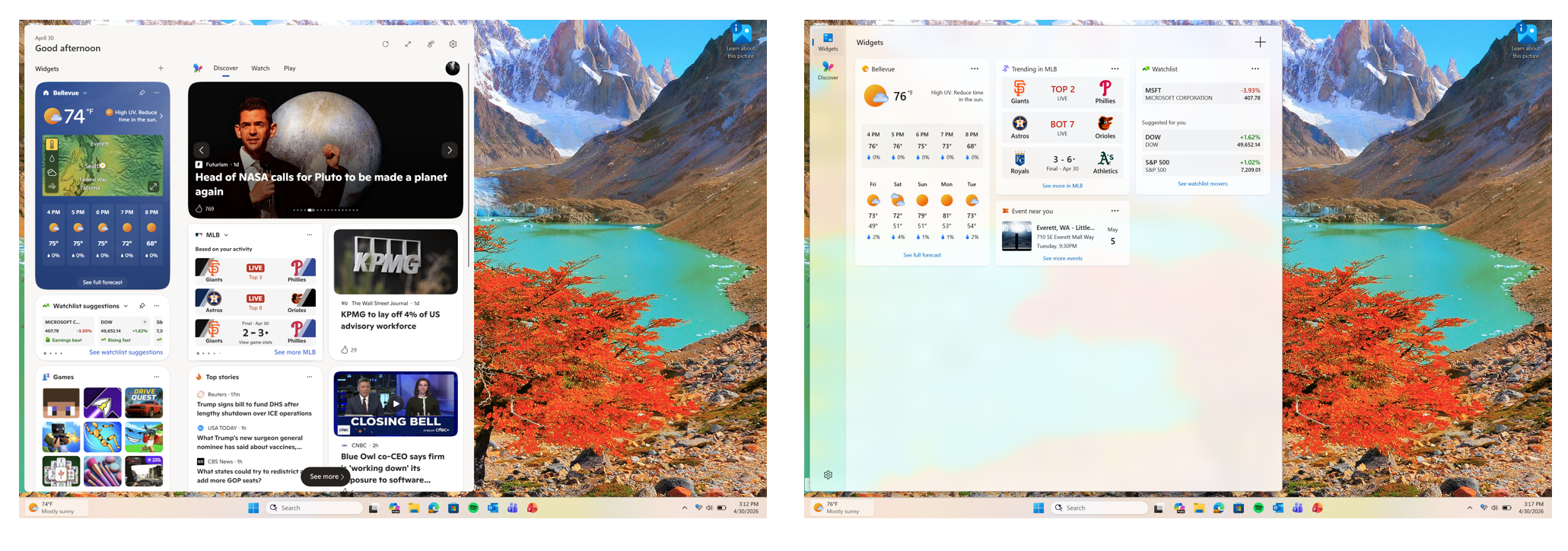
One of the areas we’re looking at closely across the operating system is the idea of “calm”. When you’re designing an experience for over a billion users, what are the right defaults that are easy, simple, and limit distractions?
One of the most significant areas we’re addressing this is in Widgets and the Discover feed to make them quieter by default. We’re changing default settings for launching and badging so you have more control over when these experiences show up and when they’re allowed to seek your attention. When notifications do surface, we’re setting a higher bar to make sure they’re meaningful. We’re also continuing to separate Widgets and the Discover feed into more distinct destinations, with calmer defaults that give you more control of what you choose to see.
These improvements are rolling out today in the Experimental channel. We’ll soon also be reducing the default set of Widgets on lock to just Weather, putting customers in more control of curating the Widgets they want to see on lock.
Improving system performance
As part of our commitment to making Windows more responsive and consistent, we have also been making progress on system performance across several areas of the operating system.
We have been actively investigating and pursuing memory savings across the system. Widgets is one of the areas we’re focused on, leveraging device characteristics and user behavior patterns to optimize memory for our users. This includes things like a smaller default memory footprint, giving back memory faster when not in use, putting the user in more control of pre-launch, and limiting pre-launch on devices with lower memory capacity. Several of these changes are beginning to roll out to Windows Insiders today and we will be sharing more of our improvements in Widgets and in other areas over the coming months.
We have been improving responsiveness across key OS and app launch experiences. In mid-March, we began rolling out targeted performance/power tuning improvements for the most frequently used OS and app scenarios. While we continue to tune these policies for improvements, these optimizations accelerate app launch and core shell scenarios like the Start menu, Search, Action Center, and more. One other cool update was work the team recently did to update the Windows scheduler. By better handling processor power states (C-states), we improve user-perceived responsiveness in everyday use. This optimization is beginning to become available in retail for customers.
What’s ahead
We know there’s a lot of excitement for Taskbar customization – and that’s coming soon. We’re actively refining the experience to ensure it meets our quality bar before broader preview. I’m excited to share more on that work later this month, including how we’re improving Taskbar and Start, as well the work underway to enhance Search.
Since March, we’ve also been traveling to various cities to meet with Windows Insiders, listen to feedback, and share how we’re thinking about the future of the program– first in Seattle and last week in New York.
The team and I are excited to continue connecting with you at our upcoming meetups taking place in Hyderabad, Taipei, San Francisco and London in the months ahead. If you’re interested in attending, register here!
The commitments we made in March reflect our focus on delivering real performance, reliability and craft improvements to Windows 11 throughout this year. With Microsoft Build next month, we’ll have more to share on how we’re making Windows even better for developers. Looking forward to seeing you there!
For a complete view of what’s shipped in each build, check the latest release notes on the new Windows Insider Program Documentation Hub.
Please keep the feedback coming.
Marcus